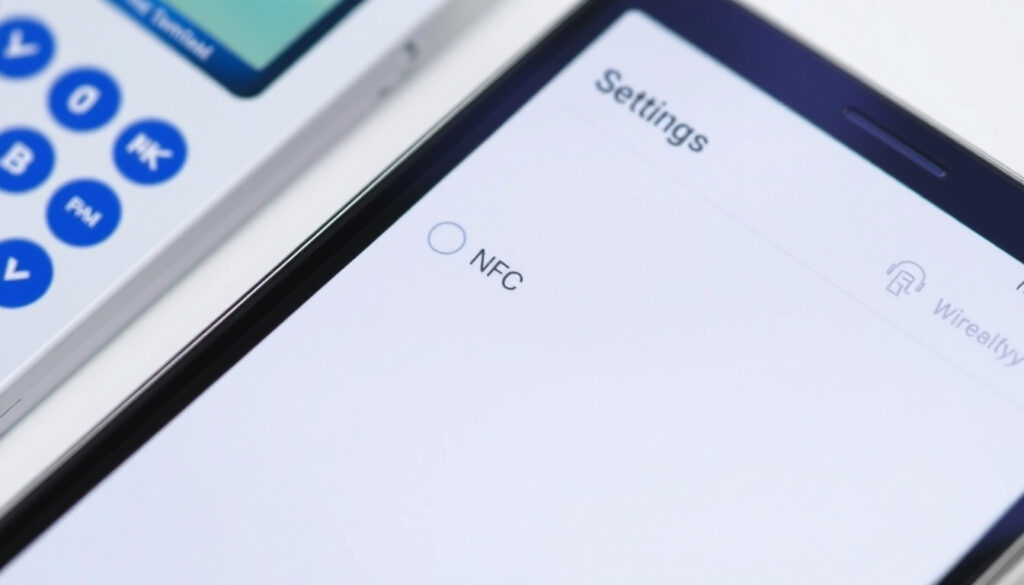
What Is NFC on My Phone? Should You Keep It On or Off?
You probably use NFC every day without thinking about it—tapping your phone to pay for coffee or pair headphones. According to the NFC Forum (industry standard body), the technology works over a distance of just 4 cm. This guide breaks down what NFC actually does, whether you should leave it on, and how to manage it on Android and iPhone.
Maximum range: 4 cm (1.5 inches) ·
Data transfer rate: Up to 424 kbit/s ·
Operating frequency: 13.56 MHz ·
Smartphone penetration with NFC: Over 80% of phones sold since 2018 ·
NFC-enabled devices shipped: Over 2 billion (NFC Forum estimate)
Quick snapshot
- NFC operates at 13.56 MHz within 4 cm (NFC Forum)
- NFC is present in over 80% of smartphones sold since 2018 (NFC Forum)
- NFC payments use tokenisation for security (Google Wallet Help)
- Exact battery drain in milliwatts during idle state (no official published data)
- Whether leaving NFC on increases vulnerability to skimming without user interaction – varies by device
- Long-term health effects of constant low-frequency field exposure – no longitudinal studies available
- NFC is a mature standard; no major protocol timeline changes expected in the near term (NFC Forum)
- Wider adoption in access control, public transport, and digital identity – already expanding in many regions (NFC Forum)
Six key specs, one pattern: NFC is deliberately short-range and low-speed – not designed for heavy data transfer, but for secure, quick taps.
| Attribute | Value |
|---|---|
| Full name | Near Field Communication |
| Standard | ISO/IEC 18092 and 14443 |
| Frequency | 13.56 MHz |
| Max range | 4 cm (1.5 in) |
| Data rate | 106, 212, or 424 kbit/s |
| Common uses | Contactless payments, access control, data transfer, tag reading |
What is NFC and what precautions should you take with this technology?
How does NFC work?
- NFC stands for Near Field Communication – a set of wireless protocols defined by the NFC Forum (industry standard body) that enables two devices to communicate when within 4 cm of each other.
- It operates at 13.56 MHz and can swap data at up to 424 kbit/s – fast enough for a payment token or a vCard, not for streaming a movie.
- NFC uses magnetic field induction – one device generates a field that powers the other, similar to how a contactless card works.
What are common uses of NFC on a phone?
- Contactless payments (Google Pay, Apple Pay, Samsung Pay) – you tap your phone at a terminal. Square (payment processor) notes that NFC is the backbone of mobile tap-to-pay.
- Pairing accessories – tap a Bluetooth speaker or headset to your phone to skip the manual pairing process.
- Reading NFC tags – stickers or cards you tap to trigger an action (open a URL, change phone settings).
- Sharing data – Android Beam (now deprecated) used NFC to exchange links, contacts, and more.
What precautions should I take when using NFC?
- NFC payments use tokenisation – a one-time code replaces your actual card number, making it hard for an attacker to reuse intercepted data. Google Wallet Help (official guide) explains that payments require device unlock on most phones.
- Skimming is theoretically possible but requires the attacker to be within 4 cm and the phone screen unlocked – a very narrow window. Asurion (tech support provider) says the risk is low for typical users.
- If you’re in a crowded place and worried about accidental tag reads, keep your phone screen locked or, on Android, turn off NFC when not needed.
Should my NFC be on or off?
Does leaving NFC on drain the battery?
- NFC consumes negligible power when idle – measured in milliwatts. NFC Forum states that the technology is designed for low-power operation. In day-to-day use, you will not notice a difference in battery life whether NFC is on or off.
Is it safe to leave NFC on all the time?
- Security experts generally agree that leaving NFC on is safe for most people. The attacker must be physically close and, on most devices, the phone must be unlocked for payment. Asurion notes that the convenience of tap-to-pay often outweighs the low security risk.
- However, if you want to eliminate any chance of an accidental or malicious tap (e.g., in a very crowded transit system), turning NFC off is a valid extra step.
How do I decide whether to turn NFC off?
- Trade-off: convenience vs. precaution. If you use contactless payments daily, leaving NFC on saves you the hassle of toggling it on before each purchase. Square notes that disabling NFC also disables payment functions on many Android phones.
- A practical middle ground: keep NFC on but require device unlock for payments (available on most Android phones and default on iPhone).
Upsides
- Convenient tap-to-pay without extra steps
- Quick pairing with accessories
- Battery impact is negligible
- Security risk is very low
Downsides
- Theoretical skimming risk (requires close proximity and unlocked phone)
- Accidental tag reads possible if phone is near an NFC sticker
- Some users prefer the extra control of turning it off
For typical users, the convenience of leaving NFC on beats the already-low security caveats. If you rarely use tap-to-pay or NFC tags, turning it off costs you nothing but a few seconds to toggle it back.
What happens if NFC is on?
What can happen if NFC is left on?
- Your phone periodically scans the surroundings for NFC tags or other devices. This scan happens at a low duty cycle to save power.
- If you bring your phone close to an NFC tag or another NFC device, a notification may appear or an action may trigger (e.g., opening a URL).
- No data can be sent or received without user action on most devices – the phone must be unlocked and the screen on. Google Android Help (official guide) confirms that NFC activity requires explicit user intent on the lock screen.
Will I get unwanted NFC interactions?
- Accidental tag reads are rare because you need to physically tap your phone to something. The range is only 4 cm – you won’t activate NFC by simply walking past a bus stop or shop counter.
- If you carry your phone in a pocket with contactless cards, those cards usually have their own NFC chips, but they typically don’t interact unless aligned very closely.
Does NFC drain battery faster?
- NFC uses so little power that it’s comparable to Bluetooth Low Energy when idle. NFC Forum specifies power consumption in the milliwatt range. You will not see a noticeable difference in battery life between NFC on and off over a full day.
The pattern: NFC is designed to be always-on without penalty. The only real downside is a theoretical security edge that most users will never encounter.
How do I tell if my phone has NFC?
Where is NFC in Android settings?
- Open Settings and use the search bar – type “NFC”. If NFC hardware is present, the menu will appear. Google Android Help recommends checking under Connected devices or Connections.
- Common paths: Settings → Connections → NFC and contactless payments (Samsung Galaxy, confirmed by Samsung Support (manufacturer documentation)). On stock Android: Settings → Connected devices → Connection preferences → NFC.
- If you don’t see NFC listed, your phone may not have the hardware – especially older budget models. Tech Advisor (consumer tech guide) notes that NFC menu placement varies by Android skin and brand.
Does iPhone have NFC?
- Every iPhone from iPhone 6 onward includes NFC hardware. Apple Support (official support) confirms that NFC is built-in and always on for Apple Pay and other functions.
- There is no manual toggle for NFC on iPhone – it runs in the background. You can’t turn it off via a global switch (only via Airplane mode).
What if I don’t see NFC in settings?
- First, check your phone’s official specs on the manufacturer’s website. Search for “[your phone model] NFC”.
- Alternatively, install a free app like “NFC Check” from Google Play – it reads your device’s NFC chip status. MobiloCard (tech blog) suggests this as a quick verification.
- Most phones sold after 2015 (especially mid-range and premium) include NFC. The biggest exception is some budget models from Xiaomi, Oppo, and Realme in certain markets.
Why this matters: if your phone lacks NFC, you miss out on contactless payments and fast pairing – but you also don’t have to worry about toggling it.
How do I turn my NFC off?
How to turn off NFC on Android?
- Samsung Galaxy: Go to Settings → Connections → NFC and contactless payments → toggle off. Alternatively, pull down the Quick Settings panel and tap the NFC icon. Samsung Support confirms both methods.
- Google Pixel / Stock Android: Settings → Connected devices → Connection preferences → NFC → toggle off. Or use Quick Settings tile.
- OnePlus, Xiaomi, Oppo: Look under Settings → Connections & sharing → NFC or search “NFC” in Settings. Tech Advisor (consumer tech guide) recommends using the Quick Settings tile for fastest access.
- Turning off NFC disables contactless payments (Square confirms). To turn it back on, repeat the steps.
How to turn off NFC on iPhone?
- There is no global NFC toggle on iPhone. Apple Support states that the only way to fully disable NFC is to put the device in Airplane mode – which also turns off cellular, Wi-Fi, and Bluetooth.
- To stop Apple Pay payments, you can remove your cards from Apple Wallet: open Wallet, tap the card, tap the “…” button, and scroll down to “Remove Card”. This doesn’t turn off NFC hardware, but it prevents payment transactions.
- NameDrop and other nearby interactions since iOS 17 can be limited in Settings → General → AirDrop → Bringing Devices Together.
How to turn off NFC mobile payments (Android and iPhone)?
- Android (Google Pay): Open Google Wallet app → tap your profile icon → Payment settings → Contactless payments and toggle off. This leaves NFC hardware on but prevents tap-to-pay.
- Samsung Pay: Open Samsung Pay → tap Menu (three lines) → Settings → Use NFC and toggle off.
- iPhone: Remove cards as described above. You can also restrict double-click of side button for payments in Settings → Wallet & Apple Pay.
The catch: on Android, if you disable NFC in system settings, all NFC functions (payments, tag reading, pairing) stop. On iPhone, you can only stop payments – NFC stays on for other uses.
Android users get full control over NFC with a quick toggle. iPhone users must accept that NFC is always on – a design choice that prioritises seamless Apple Pay access over user flexibility.
Near Field Communication (NFC) is a technology that allows users to make secure transactions, exchange digital content, and connect electronic devices with a touch.
NFC is a set of communication protocols that enables communication between two electronic devices over a distance of 4 cm.
NFC Forum (industry standard body)
For everyday users in New Zealand – or anywhere else – the choice is clear: leave NFC on for the convenience of tap-to-pay and quick pairing, or turn it off on Android for an extra layer of caution. The battery penalty is near zero, the security risk is minimal, and the toggle is seconds away. If you never use NFC, turning it off is fine – but expect to flip it back on before your next contactless purchase.
Related reading: **How to Change Keyboard on Android** · **What Is an HDMI ARC Port**
For a step-by-step walkthrough, check out this guide to enabling NFC on Android for Samsung, Xiaomi, and other popular brands.
Frequently asked questions
Does NFC work without internet?
Yes. NFC uses magnetic fields, not a data connection. You don’t need Wi-Fi or mobile data to tap your phone to a payment terminal or read an NFC tag. The terminal’s internet connection handles the transaction verification.
Can I use NFC for file transfer between phones?
Android had a feature called Android Beam that used NFC to initiate a Bluetooth or Wi-Fi Direct file transfer, but it was deprecated in Android 10. Modern Android phones rely on Nearby Share, which uses Bluetooth and Wi-Fi Direct but not NFC. iPhones use AirDrop instead.
Is NFC the same as Bluetooth?
No. NFC is shorter range (4 cm vs. ~10 m for Bluetooth) and slower (max 424 kbit/s vs. 2+ Mbit/s for Bluetooth LE). NFC is designed for one-touch pairing and payments; Bluetooth handles continuous streaming and file transfers.
What is an NFC tag and how does it work?
An NFC tag is a small, unpowered chip with an antenna. When your phone’s NFC field powers it, the tag sends a small amount of data (like a URL, a contact, or a text command). They’re used in smart posters, business cards, and product authentication.
How secure are NFC payments?
Very secure. Payment apps use tokenisation – a unique one-time code per transaction – so your real card number is never transmitted. Additionally, the transaction typically requires your phone to be unlocked. Google Wallet Help and Apple Support both confirm these protections.
Does NFC drain my phone battery significantly?
No. NFC uses very low power when idle (in the milliwatt range). You won’t notice a difference in daily battery life whether it’s on or off. The only time it draws noticeable power is during active data transfer, which lasts only a second or two.
Can I use NFC with a case on my phone?
Most thin cases (plastic, silicone, leather) don’t block NFC. Thick cases with metal or magnetic attachments (e.g., PopSockets with metal plates, thick battery cases) can interfere. If your phone fails to tap, remove the case and try again.
What should I do if my phone doesn’t have NFC?
You can’t add NFC hardware if it’s not built in (there are external NFC adapters for some phones, but they are rare and cumbersome. Consider an external NFC sticker that connects via audio jack or USB-C, but for payments you’ll still need a phone with NFC. Next time you buy a phone, check the specs for NFC support.
For everyday users, leaving NFC on is the practical choice – the convenience of tap-to-pay outweighs the negligible battery cost and already-low security risk. If you’re extra cautious, turning it off takes seconds, but expect to toggle it back on before your next coffee run.
More related posts
 Things to Do in Osaka: Top Attractions, Food & Itineraries
 Translate English to Gujarati: Free Tools Compared
 Jamie Oliver Air Fryer Book: Easy Air Fryer Review
 Living & Co Air Fryer: Specs, Usage, and Safety Tips
 Clip n Climb Christchurch: Prices, Safety & Age Limits
 How to Descale a Kettle with Lemon: Step-by-Step Guide
 Venues for Hire Auckland: Party, Cheap & Council Options
 New Zealand National Rugby Union Team – History and Key Facts