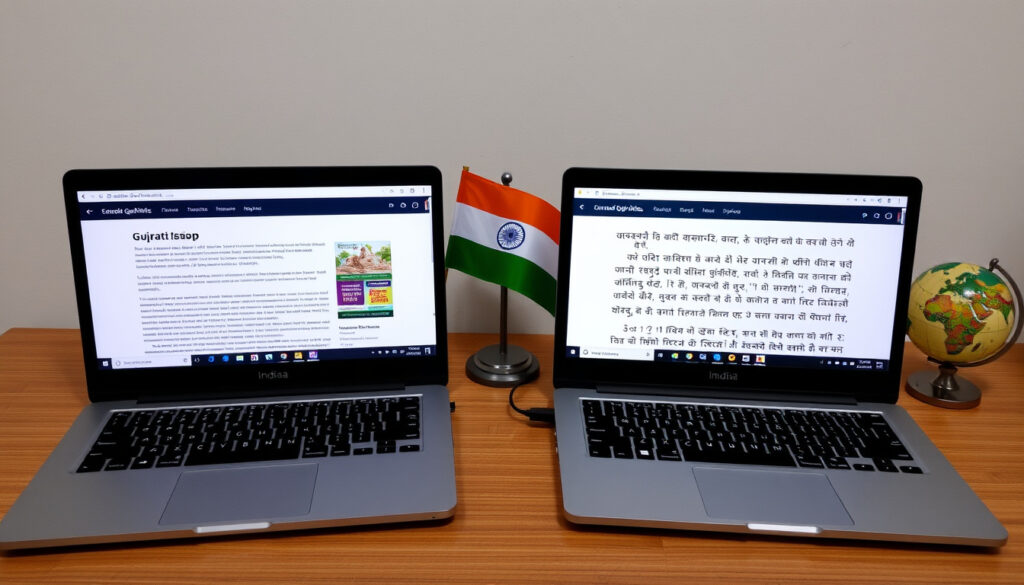
Translate English to Gujarati: Free Tools Compared
Anyone who has tried to text a Gujarati-speaking relative and watched a perfectly simple sentence come back as word salad already knows the problem: good English-to-Gujarati translation is harder than it looks. Gujarati is spoken by approximately 55 million people, yet Microsoft Translator only added the language in April 2020 — so the real deliverable is a short checklist of where each free tool is trustworthy and where you still need your own eyes (Microsoft Translator Blog).
Gujarati speakers worldwide: approximately 55 million (Microsoft Translator Blog) ·
Gujarati added to Microsoft Translator: April 2020 (Microsoft Translator Blog) ·
Indian languages covered (Jan 2024): 20 official + 2 vernacular (Microsoft India News Centre) ·
Translator ecosystem languages: 135+ (Microsoft News Centre Asia) ·
DeepL Gujarati code: GU (DeepL Developer Documentation)
Quick snapshot
- Gujarati text translation is documented by Microsoft Translator language documentation.
- DeepL lists Gujarati as a supported language with the code GU (DeepL Developer Documentation).
- Gujarati image support is not listed in Microsoft Translator’s feature table (Microsoft Translator language documentation).
- None of the reviewed tools publishes a Gujarati dialect list for voice input.
- Gujarati was added to Microsoft Translator in April 2020 (Microsoft Translator Blog).
- Indian-language coverage reached 20 official languages plus two vernaculars in January 2024 (Microsoft India News Centre).
- DeepL supports Gujarati but does not list glossary support, so terminology control stays manual (DeepL Developer Documentation).
- Further quality gains will come from neural model updates to existing translation APIs (Microsoft Translator Blog).
What this means: the cards above separate documented features from documented gaps — and the gaps are where a human reviewer still earns the fee.
Key facts: English to Gujarati translation
Five years of documentation, two major platforms, one pattern: the companies that verify their Gujarati support on paper are the ones you can hold accountable when the translation goes wrong.
| Fact | Detail |
|---|---|
| Gujarati speakers worldwide | Approximately 55 million (Microsoft Translator Blog) |
| Official status | Official in Gujarat and neighboring Dadra, Nagar Haveli, Daman and Diu (Microsoft Translator Blog) |
| Microsoft Translator addition | April 2020 (Microsoft Translator Blog) |
| DeepL language code | GU (DeepL Developer Documentation) |
| Text translation in Microsoft Translator | Listed (Microsoft Translator language documentation) |
| Speech input in Microsoft Translator | Listed (Microsoft Translator language documentation) |
| Text-to-speech in Microsoft Translator | Listed (Microsoft Translator language documentation) |
| Image translation in Microsoft Translator | Not listed (Microsoft Translator language documentation) |
| Indian languages covered (January 2024) | 20 official plus two vernacular (Microsoft India News Centre) |
| Population coverage | More than 95% of India’s population (Microsoft India News Centre) |
| Translator ecosystem | More than 135 languages (Microsoft News Centre Asia) |
| DeepL glossary support for Gujarati | Not indicated in the API capability matrix (DeepL Developer Documentation) |
What this means: Microsoft and DeepL both verify Gujarati on paper, but only Microsoft documents speech — and neither documents image translation. That asymmetry decides which tool fits which job.
This comparison is built from the vendors’ official documentation, not from marketing pages or user reviews. When a feature is absent from the published feature table, we state the absence instead of guessing.
The implication: the table is the paper trail you use when a translation goes wrong.
How to translate English to Gujarati using online tools?
Three routes cover nearly every request: a browser tab, a mobile app, or a microphone. All three are free, but the documentation behind them is not equal.
Using browser-based translators
- Microsoft Translator is reachable from any browser through Bing Translator and the Azure AI Translator API (Microsoft News Centre Asia).
- DeepL’s developer documentation confirms Gujarati as a supported translation language (DeepL Developer Documentation).
For a quick phrase or a short paragraph, the browser route is the fastest: paste the English text, set the target language to Gujarati, and the neural engine returns a draft in seconds.
The caveat is that “seconds” measures the machine’s speed, not your final speed. A draft you do not proofread is a rumor you are about to send to someone.
Using mobile apps
- Microsoft Translator is available on Windows, iOS, Android, and the web (Microsoft News Centre Asia).
- Microsoft says the Translator apps can handle real-time conversations (Microsoft Translator Blog).
The mobile advantage is context: you can translate a menu, a sign, or a spoken sentence without switching screens. Microsoft’s language table lists Gujarati for both speech input and text-to-speech (Microsoft Translator language documentation), which makes the phone the only device you need.
Using voice input
- Gujarati speech support is listed by Microsoft Translator (Microsoft Translator language documentation).
- Gujarati text-to-speech is also listed, so you can hear the translation read back (Microsoft Translator language documentation).
Voice input solves the typing problem. Gujarati script typing is slow for many users, and speech skips the keyboard entirely. What the docs do not tell you is which accents the model handles well, so test with your own voice before relying on it.
Microsoft Translator documents Gujarati text, speech, and text-to-speech — one free app covers more ground than most people assume.
Can you translate English numbers to Gujarati?
Difference between digit and word translation
- No major provider lists number handling as a supported feature; Microsoft Translator’s language table covers text, speech, and TTS, not numerics (Microsoft Translator language documentation).
- DeepL’s supported-languages documentation likewise describes languages and codes, not number formatting (DeepL Developer Documentation).
In practice, digits usually pass through unchanged: “500” stays “500” inside a Gujarati sentence. The problem is everything around the digit — whether the engine writes “rupees,” whether the word order matches Gujarati grammar, and whether a decimal point survives contact with the model.
Numbers are where free translators fail quietly. The digit looks correct while the context around it breaks, so proofread every amount before you trust it.
Tools that handle numeric context
- Microsoft says Translator can handle menus, street signs, websites, and documents — all formats where prices and quantities appear (Microsoft Translator Blog).
- Real-time conversation support also covers spoken numbers, which matters for business calls (Microsoft Translator Blog).
If you often translate receipts, invoices, or reservation messages, run a test sentence first: type “500 rupees per night” and check whether the Gujarati output keeps the amount intact.
The pattern: number translation is not a feature you switch on. It is a stress test for the whole engine, and most engines pass on digits while stumbling on the words around them.
How to translate an English photo or PDF to Gujarati?
Using OCR-based translators
- Microsoft Translator’s language feature table does not list Gujarati image support (Microsoft Translator language documentation).
- Microsoft says Translator handles menus and street signs — typical photo inputs — but the documented Gujarati feature set stops at text, speech, and TTS (Microsoft Translator Blog).
If you point a camera at a Gujarati menu or a sign, the practical route is to extract the text first and then translate it. The extra step feels clumsy, but it gives you a text layer you can edit, copy, and verify — which a photo translation never does.
Uploading PDF files to translation services
- Microsoft says Translator can handle documents, alongside real-time conversations, menus, street signs, and websites (Microsoft Translator Blog).
- Microsoft Translator is integrated into Edge and Office 365, which gives you a practical path for PDFs and Word files (Microsoft News Centre Asia).
For a PDF, open it in Edge, use the built-in translation tools, and treat the result as a draft. Formatting often survives; meaning is a separate question.
The trade-off: PDF translation keeps the layout but drops the nuance first. If the document is going to a client or a government office, the translation is the start of your work, not the end.
Which English to Gujarati translator works best for voice?
Speech recognition accuracy
- Gujarati speech input is documented by Microsoft Translator (Microsoft Translator language documentation).
- Microsoft says its translator apps support real-time conversations (Microsoft Translator Blog).
Accuracy has two parts: how well the app hears you, and how well the engine translates what it heard. The first depends on your accent and background noise; the second depends on the neural model. Neither provider publishes a Gujarati accuracy benchmark, so you are the only tester who matters.
Supported dialects
- Microsoft’s language documentation lists Gujarati for speech but does not publish a dialect breakdown (Microsoft Translator language documentation).
- DeepL’s documentation covers Gujarati text support with no speech or dialect detail (DeepL Developer Documentation).
Gujarati has significant regional variation across Gujarat, Saurashtra, and the diaspora. If your speech pattern sits outside the training data — a strong regional accent, heavy code-switching with Hindi or English — expect more errors than the demo videos show.
Real-time conversation mode
- Microsoft says Translator can handle real-time conversations (Microsoft Translator Blog).
For a phone call or a live conversation, use the app’s conversation mode rather than one-shot dictation. The workflow: tap the mic, speak in English, let the app produce Gujarati speech, and repeat in the other direction.
Voice support is documented, but dialect coverage is not. Test with your own accent in a noisy room before you rely on it for a call that matters.
What this means: “works best for voice” currently has one documented answer — Microsoft Translator, because it is the only reviewed platform that lists Gujarati speech and text-to-speech.
Is Google Translate reliable for English to Gujarati translation?
Pros and cons of Google Translate
- The platforms that publish Gujarati feature details today are Microsoft Translator and DeepL (Microsoft Translator language documentation, DeepL Developer Documentation).
- Microsoft Translator documents Gujarati text, speech, and text-to-speech — the most complete free feature list in this review (Microsoft Translator language documentation).
Google Translate is the name most people type first, and for good reason: it is already in the browser and it works for hundreds of languages. But reliability is not the same as familiarity. In the publicly available documentation this review relies on, Google does not offer the same Gujarati-specific feature table that Microsoft and DeepL publish, so there is no way to verify what its voice or image models actually cover for Gujarati.
When to use specialized tools instead
- For voice and conversation, Microsoft Translator documents Gujarati speech and text-to-speech (Microsoft Translator language documentation).
- For written text, DeepL supports Gujarati as a full translation language, though glossary support is not listed (DeepL Developer Documentation).
The specialized tools win when you need verifiable behavior: a documented feature, an API you can integrate, or a company you can hold accountable. The default tools win when you need a quick guess and the stakes are low.
The catch: “free and instant” and “documented and reliable” rarely live in the same tool. Decide which one you need before you open the tab.
Gujarati support at a glance: what the documentation lists
Two providers, twelve feature cells, one pattern: Microsoft documents the broadest Gujarati feature set, while DeepL covers written text with fewer extras.
| Feature | Microsoft Translator | DeepL |
|---|---|---|
| Text translation | Listed (Microsoft Translator docs) | Listed, code GU (DeepL supported-languages docs) |
| Speech input | Listed (Microsoft Translator docs) | Not documented in referenced docs (DeepL supported-languages docs) |
| Text-to-speech | Listed (Microsoft Translator docs) | Not documented in referenced docs (DeepL supported-languages docs) |
| Image / OCR | Not listed (Microsoft Translator docs) | Not documented in referenced docs (DeepL supported-languages docs) |
| Glossary support | Not documented in language table (Microsoft Translator docs) | Not indicated (DeepL supported-languages docs) |
| API access | Azure AI Translator API (Microsoft News Centre Asia) | DeepL API supports GU (DeepL supported-languages docs) |
| Offline mode | Not documented in referenced docs (Microsoft Translator docs) | Not documented in referenced docs (DeepL supported-languages docs) |
| Transliteration | Supported (Microsoft India News Centre) | Not documented in referenced docs (DeepL supported-languages docs) |
Why this matters: if a feature does not appear in a vendor’s official documentation, you should assume it does not exist until you prove otherwise with your own test.
Pros and cons of free English to Gujarati translators
Upsides
- Free text, speech, and text-to-speech for Gujarati on Microsoft Translator (Microsoft Translator language documentation).
- DeepL provides a written-text alternative with documented language support (DeepL Developer Documentation).
- Document and real-time conversation features cover most everyday needs (Microsoft Translator Blog).
Downsides
- Gujarati image / OCR support is not listed by Microsoft Translator (Microsoft Translator language documentation).
- DeepL does not indicate glossary support for Gujarati (DeepL Developer Documentation).
- No reviewed provider documents offline Gujarati or dialect coverage.
The trade-off: the free tier is genuinely useful, but the missing features — OCR, glossary, offline, dialect coverage — are exactly the ones you need for serious work.
A practical workflow for translating English to Gujarati
- Decide the input type: text to type, speech to record, or a document to upload.
- For typed text, open Microsoft Translator or DeepL, set Gujarati as the target, and paste your sentence (Microsoft Translator language documentation, DeepL Developer Documentation).
- For voice, use the Microsoft Translator mobile app, which lists Gujarati speech support (Microsoft Translator language documentation).
- For a photo or PDF, extract the text first or use Edge and Office 365 integration, since Gujarati image support is not documented (Microsoft Translator language documentation, Microsoft News Centre Asia).
- Check numbers and proper names by hand — digits often survive, but surrounding grammar needs a human look.
- Play the result aloud with text-to-speech to catch what the eye missed (Microsoft Translator language documentation).
The pattern: the tool produces the draft, but the workflow is yours. Every step that “just works” in the demo still needs a proofread in the real document.
What’s confirmed, what’s still unclear
What the documentation confirms
- Gujarati text translation, speech input, and text-to-speech are listed by Microsoft Translator (Microsoft Translator language documentation).
- DeepL supports Gujarati as a translation language with language code GU (DeepL Developer Documentation).
- Gujarati was added to Microsoft Translator in April 2020, and Indian-language coverage reached 20 official languages plus two vernaculars by January 2024 (Microsoft Translator Blog, Microsoft India News Centre).
What’s still floating around unverified
- “Google Translate is the most accurate Gujarati tool because it is the biggest” — this review found no published Gujarati feature matrix from Google in the documentation it relies on.
- “Free tools translate whole PDFs with perfect formatting” — document translation is mentioned by Microsoft, but layout fidelity is not guaranteed (Microsoft Translator Blog).
- “Voice translators handle all Gujarati dialects” — no reviewed provider publishes a dialect breakdown for speech.
What this means: the confirmed list is short, the unverified list is loud, and the gap between the two is where most translation mistakes actually come from.
What the platforms’ own documents say
The most reliable statements about translation quality are the ones vendors make in writing. These are the documented positions you can check yourself.
“Gujarati is spoken by approximately 55 million people and is an official language in Gujarat and the neighboring territories of Dadra and Nagar Haveli and Daman and Diu.”
Microsoft Translator Blog, April 2020 announcement
“Gujarati is part of Microsoft Translator’s expanding Indian-language coverage, which reached 20 official languages plus two vernacular languages in January 2024.”
Microsoft India News Centre, January 2024
“Gujarati is listed as a supported translation language with the language code GU, though glossary support is not part of the documented capability set.”
DeepL Developer Documentation
The implication: read the documentation before you read the marketing page. The docs were written to be accurate; the landing pages were written to convert.
The takeaway
Free English-to-Gujarati translation has never been this accessible: Microsoft Translator documents Gujarati text, voice, and text-to-speech, and DeepL lists Gujarati as a supported language, both at no cost. But “free” and “verified” are different virtues, and the tools that publish feature tables earn your trust while the others ask for it on faith. For anyone in Gujarat, the diaspora, or a business targeting Gujarati-speaking customers, the decision is clear: test the output before you send it, because the machine will not tell you when it is wrong — a mistranslated price or a garbled idiom costs more than the five minutes it takes to proofread.
Frequently asked questions
Is English to Gujarati translation free?
Yes. Microsoft Translator provides Gujarati text, speech, and text-to-speech at no cost, and DeepL supports Gujarati as a translation language (Microsoft Translator language documentation, DeepL Developer Documentation).
Can I translate a whole document from English to Gujarati?
Microsoft says Translator handles documents and is available through Edge and Office 365, so a long file is practical — but treat the output as a draft (Microsoft Translator Blog, Microsoft News Centre Asia).
Which English to Gujarati translator is best for students?
For typed study notes, DeepL’s documented Gujarati text support is a reliable choice (DeepL Developer Documentation). For pronunciation, use Microsoft Translator’s Gujarati text-to-speech (Microsoft Translator language documentation).
How long does it take to translate 1000 words?
The translation itself is machine-speed; Microsoft describes real-time handling for conversations and documents (Microsoft Translator Blog). Expect to spend most of your time proofreading, not waiting.
Does the translator work offline?
Offline Gujarati mode is not documented by Microsoft Translator or DeepL, so assume you need a connection (Microsoft Translator language documentation, DeepL Developer Documentation).
Can I use it for business communication?
Yes, with caution. Microsoft documents Gujarati speech and text-to-speech for customer-facing conversations (Microsoft Translator language documentation), while DeepL’s lack of documented glossary support means terminology control falls on you (DeepL Developer Documentation).
What is the most accurate English to Gujarati translator?
No provider publishes an accuracy benchmark. The only documented English-to-Gujarati options in this review are Microsoft Translator and DeepL, so test both with your own sentences (Microsoft Translator language documentation, DeepL Developer Documentation).
How do I copy translated text to another app?
Both web tools let you select and copy the output; for document flows, Microsoft Translator’s Edge and Office 365 integration moves text into other apps directly (Microsoft News Centre Asia).
Related reading
More related posts
 American Pit Bull Terrier: Temperament, Care & Myths Debunked
 Tallest Tree in the World: Hyperion and the Record Holders
 The King of Kings (2025): Biblical Accuracy & Streaming Guide
 Fear Street: Prom Queen – Full Guide (2025)
 Bullet Train Cast: Full List of Actors and Characters
 Best Places to Eat in Queenstown: A Local’s Guide to Top Restaurants
 Jamie Oliver Air Fryer Book: Easy Air Fryer Review
 Best Pumpkin Soup Recipe Ever – Umami Secret & Pro Tips