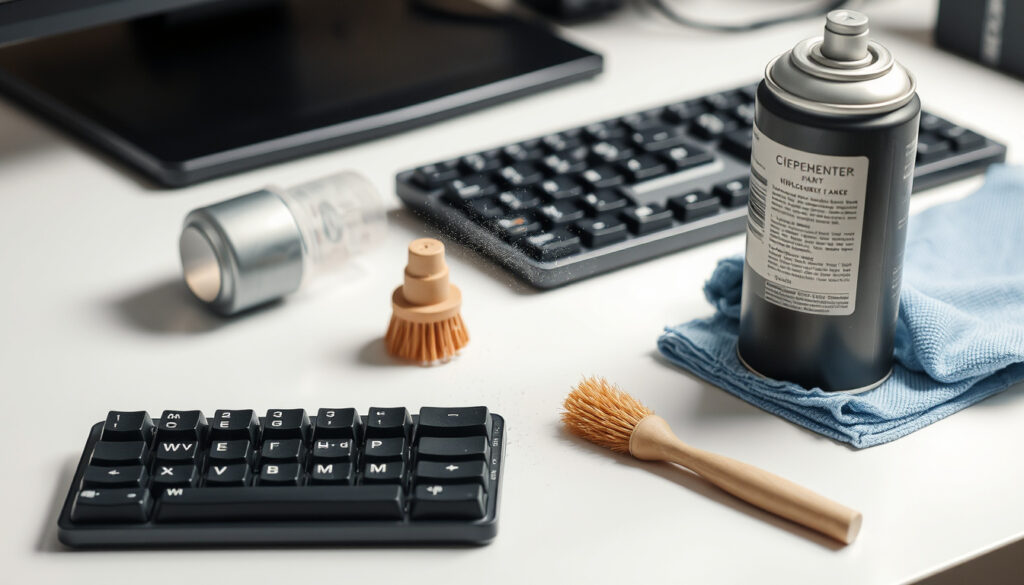
How to Clean a Keyboard: Best Methods, Tools, and Safety Tips
Anyone who has eaten lunch at a desk knows the moment: crumbs settle between the keys, and the spacebar starts to feel tacky. You do not need a specialist to fix it — you need a sane order of operations, starting with Apple’s own guidance of holding the notebook at a 75-degree angle and letting compressed air work left to right.
Most effective sanitizer: 70% isopropyl alcohol (Microsoft Surface, laptop maker) ·
Drying before reconnect: 10–15 minutes ·
Compressed-air angle: 75 degrees (Apple Support, Mac manufacturer)
Quick snapshot
- Unplug the keyboard and power down the laptop before any wet cleaning (ASUS, laptop maker).
- 70% isopropyl alcohol is the common safe cleaner for keys and switches (HP, PC maker).
- Keycap pullers protect switches when removing mechanical keycaps (Dell, PC maker).
- Whether WD-40 is safe around key switches; it may attract dust over time.
- How often shared, high-traffic office keyboards need a full deep clean.
- Whether UV sanitizers are effective on keyboard surfaces.
- Wait 5 seconds after unplugging before you start (Corsair, peripheral maker).
- Air-dry a laptop keyboard 10–15 minutes before powering on. (Corsair, peripheral maker)
- Soak keycaps 30–60 minutes, then dry them completely. (Corsair, peripheral maker)
- Start with compressed air in short bursts to lift debris.
- For a deep clean, move to keycap removal and wipe the exposed base.
- Use a barely damp microfiber cloth before reaching for any liquid.
Seven manufacturer documents, one pattern: the safest cleaning method is also the simplest — unplug, remove loose debris, wipe with 70% isopropyl alcohol, and wait.
| Fact | Detail |
|---|---|
| First safety step | Turn off the device and disconnect power before cleaning (ASUS) |
| Recommended cleaner | 70% isopropyl alcohol on a microfiber cloth or cotton swab |
| Keycap removal | Use a keycap puller and lift each cap straight up |
| Keycap soak | 30–60 minutes in warm, soapy water |
| Sticky switch cleanup | Dab a cotton swab in isopropyl alcohol and clean between switches |
| Compressed-air angle | Hold a laptop at 75 degrees and work left-to-right (HP) |
| Surface wipes | Wipe each key with a soft, lint-free cloth (Lenovo, PC maker) |
What is the best thing to use to clean a keyboard?
The best cleaner is not a multi-step chemical kit. Every major maker lands on the same solution: 70% isopropyl alcohol, applied to a cloth or swab rather than sprayed directly on the board.
Is WD-40 good for cleaning keyboards?
- No. Lenovo’s official keyboard-cleaning guide lists a soft lint-free cloth as the tool for each key, not a spray lubricant.
- If you have sticky residue, isopropyl alcohol is the safer solvent; oil-based sprays can leave a film that collects more dust.
What is the best solution for cleaning a laptop keyboard?
- 70% or higher isopropyl alcohol is the reliable choice, with no standing liquid left on the board.
- Hold the laptop at a 75-degree angle while using compressed air so debris falls out instead of settling deeper.
The trade-off: the best cleaner is also the most boring. Once you accept 70% alcohol as your main tool, the rest is just technique and drying time.
How do I pop off keyboard keys?
On mechanical keyboards, keycap removal is standard maintenance. Dell tells users to pull each cap straight up with a keycap puller to avoid damaging the switch underneath. On laptops, the answer depends on the mechanism.
Can I take the keys off my laptop keyboard to clean?
- Only if the manufacturer designed the keys for removal; many laptop keys use scissor or butterfly mechanisms that are easy to break.
- For a stuck laptop key, compressed air and a soft brush are the safer first move.
Can you take the keys off all keyboards?
- No. Mechanical keyboards are built for keycap pullers; most laptop keyboards and low-profile membrane boards are not. HP separates its advice for basic cleaning vs. a deeper mechanical-keyboard clean.
- If you do remove keycaps, soak them in warm soapy water for 30–60 minutes and dry them completely.
The catch: keycap removal is only easy on keyboards built for it. On a laptop, forced removal is how a stuck key becomes a broken hinge.
How to get rid of grime on keyboard?
Grime under the keys is usually a mix of skin oils, dust, and the occasional food crumb. The fastest way to remove it is to clean the base after the caps are off, then follow with alcohol on the sticky spots.
Can I wash my keyboard with water?
- Not with water as the main cleaner. Water can pool in switches and corrode contacts; isopropyl alcohol evaporates faster and is safer for electronics.
- Keycaps are an exception: they can be washed in warm soapy water when removed from the board.
- After any wet cleaning, wait until everything is dry before powering back up.
Can I open my keyboard to clean it?
- For mechanical keyboards, the safer route is keycap removal and compressed air on the switch plate, not opening the case.
- For laptops, opening the case risks the keyboard ribbon cable; manufacturers recommend external cleaning first.
If liquid is already inside a keyboard, the priority is drying, not scrubbing: disconnect power, remove keycaps if you can, and wait longer than feels comfortable.
The pattern: water is fine for plastic caps that are already off the keyboard, not for the electronics underneath.
Can I use alcohol wipes to clean my computer keyboard?
Yes, with two conditions: the wipe should contain 70% or higher isopropyl alcohol, and it should be damp, not dripping.
- Choose 70% or higher isopropyl alcohol wipes — they are the cleaner Microsoft recommends for laptop keyboards.
- Wring out the wipe before touching the keycaps, and avoid pooling liquid around the switches.
- Let the keyboard air-dry 10–15 minutes before reconnecting it to power.
- Skip wipes with bleach or ammonia; manufacturer guidance centers on alcohol, not household disinfectants.
The wipe is only as safe as the person using it. Squeeze out the liquid, wipe once, and let the alcohol evaporate instead of wiping it off wet.
The note: alcohol wipes solve the hygiene layer. They do not replace compressed air for the crumbs underneath the keys.
How can I clean my keyboard without taking it apart?
You can handle most keyboard grossness without ever removing a cap. Compressed air, a soft brush, and a barely damp cloth take care of the daily layer.
How to fix keyboard not typing?
- Blow out the key with short bursts of compressed air; HP recommends this for dust between switches.
- Wipe the keycap with a microfiber cloth lightly dampened with isopropyl alcohol.
- If the key still does not register, the fault may be mechanical or electrical. Stop before opening the case and get a repair diagnosis.
The upshot: no-disassembly cleaning solves most sticky keys. The moment you need to open the case, you have left the realm of routine maintenance.
Comparing keyboard cleaning methods
Three routes cover almost every keyboard situation, and the risk profile is what separates them.
| Method | Best for | How it works | Risk |
|---|---|---|---|
| Compressed air + microfiber | Quick daily clean | Blow debris out in short bursts, then wipe with a damp cloth | Low |
| Keycap removal deep clean | Mechanical keyboard with sticky grime | Pull caps, soak them, wipe the exposed base with alcohol | Low if done carefully |
| Laptop no-disassembly clean | Laptop keyboard | Turn off, unplug, hold at 75 degrees, air left-to-right, wait 10–15 minutes | Low; no keycap removal |
The more you take apart, the deeper you clean — but the higher the chance of breaking a clip that costs more than the crumb you were chasing.
The decision is not clean vs. lazy; it is surface cleaning vs. keyboard anatomy. Mechanical boards welcome disassembly; low-profile laptop keys do not.
How to clean a keyboard step by step
Use this order for a mechanical keyboard deep clean:
- Unplug the keyboard and wait a few seconds.
- Take a photo of the layout, then remove keycaps with a puller, lifting straight up.
- Blow out loose debris with short bursts of compressed air.
- Soak keycaps in warm soapy water for 30–60 minutes.
- Wipe the exposed switch plate with a cotton swab dipped in isopropyl alcohol.
- Rinse and dry keycaps completely before reinstalling.
For a laptop, the sequence is shorter and lower-risk:
- Turn off the laptop and unplug the power adapter; remove the battery if the model allows.
- Hold the laptop at a 75-degree angle and use compressed air in a left-to-right motion.
- Wipe the keys with a barely damp microfiber cloth or alcohol wipe.
- Let the keyboard air-dry 10–15 minutes before turning it back on.
The pattern: the sequence changes by keyboard type, but the constants — power down, alcohol, drying time — stay the same.
What’s confirmed and what’s still unclear
Confirmed facts
- 70% isopropyl alcohol is safe for most keyboards when applied to a cloth or swab.
- Compressed air in short bursts is effective for loose debris.
- Removing keycaps on mechanical keyboards with a puller is safe and recommended.
What’s unclear
- Whether WD-40 is safe for switch mechanisms; it may create a dust-attracting film.
- The ideal deep-clean schedule for shared, high-traffic keyboards.
- Whether UV sanitizers meaningfully reduce germs on keycaps.
- How long keycaps actually take to dry in humid environments.
What this means: the confirmed list is short and consistent across manufacturers. The open questions are mostly about products makers do not endorse.
What the makers say
Hold the notebook at a 75-degree angle and use compressed air in a left-to-right motion.
Remove each keycap straight up with a keycap puller to avoid damaging the switches underneath.
Turn off the laptop, unplug it from power, and let the keyboard dry for at least 10 to 15 minutes before powering it back on.
The implication: when manufacturers disagree on keycaps, they agree on the boring part — power down, clean gently, dry completely.
The bottom line for your keyboard
Keyboard cleaning is not about buying the newest gadget. The evidence from maker support pages points to the same routine: power down, blow out debris, apply 70% isopropyl alcohol to a cloth or swab, and wait until everything is dry. For office workers who share a keyboard, the choice is clear: make that routine a monthly habit, or the grime that builds up becomes someone else’s repair ticket.
Frequently asked questions
How often should you clean your keyboard?
A quick surface wipe every couple of weeks and a deeper clean every 3–6 months is a sensible baseline.
Can compressed air damage keyboard switches?
Not if used in short bursts. HP recommends short bursts for the switch plate on a mechanical keyboard.
Is it safe to use a vacuum cleaner on a keyboard?
Most brands steer you toward compressed air instead. Apple tells users to hold the notebook at 75 degrees and use air left-to-right.
What should you avoid when cleaning a keyboard?
Avoid bleach, ammonia, and pooling liquid; use 70% isopropyl alcohol on a cloth or swab.
How to clean a mechanical keyboard without removing keycaps?
Use compressed air in short bursts and wipe keycaps with a slightly damp microfiber cloth.
Do antibacterial sprays work on keyboards?
Manufacturer guides do not recommend sprays; they call for isopropyl alcohol on a cloth or swab.
How to clean a keyboard that has sticky liquid inside?
Disconnect power, remove keycaps if possible, clean the switch area with a cotton swab dipped in isopropyl alcohol, and let everything dry completely.
Can I use a dishwasher to clean keyboard keycaps?
No. The safe method is soaking keycaps in warm soapy water for 30–60 minutes, then drying them completely.
Related reading
More related posts
 Choi Woo-shik: Marriage, Military Service & English Fluency
 Grow a Garden Game – Complete Guide, Tips and Strategies
 Prime Video NZ Cost: Monthly Price, Plans & Is It Worth It
 The Doctors Ti Rakau – Contact, Hours, Services and Fees
 Diamond Lake and Rocky Mountain Track: Complete Hiking Guide
 Living & Co Air Fryer: Specs, Usage, and Safety Tips
 The King of Kings (2025): Biblical Accuracy & Streaming Guide
 Find A Brand Jeans NZ: Stockists, Online Shops & Sales