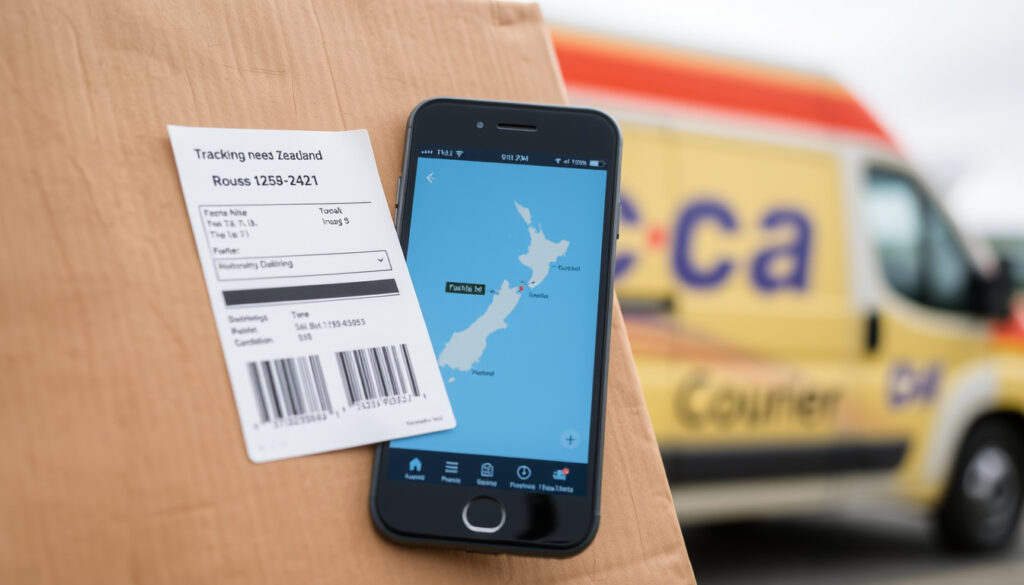
New Zealand Couriers Tracking: How to Track Any Parcel
You’ve just bought something online, the confirmation email lands, and there it is: a string of letters and numbers that is supposed to tell you exactly where your parcel is. The trouble is, that string only makes sense if you open the right tracking tool. In New Zealand, the format switches depending on whether the item travels with NZ Post, its CourierPost brand, or New Zealand Couriers — the international standard, for example, is 13 characters and ends in ‘NZ’ (NZ Post Support). Knowing which one you’re holding is the difference between a live map and a page that says ‘not found’.
Tracking code format: 13 characters (e.g., EA…NZ) ·
Official providers: NZ Post, CourierPost, NZ Couriers ·
Tracking methods: Website, mobile app, phone ·
NZ Post customer care: 0800 501 501
Quick snapshot
- International tracking numbers use 13 characters, like EA123456789NZ (NZ Post Support)
- Tracking information appears only after a tracked service is purchased (NZ Post Support)
- CourierPost is a brand of NZ Post and uses the same tracking tools (NZ Post Support)
- Exact international formats can vary from the printed example depending on destination
- Third-party aggregator update frequencies are not guaranteed
- Delivery timeframes depend on service level and location
- Most NZ Post items are scanned at key points, not continuously (NZ Post Support)
- International inbound items are scanned on arrival and again after Customs clearance (NZ Post Support)
- Courier and Express products generate more tracking events than Economy (NZ Post Support)
- Enter the full code in the NZ Post tracking tool, ignoring spaces or brackets (NZ Post Support)
- No update for days? Check the number, then call 0800 501 501 (NZ Post)
- Sign in to an NZ Post Online Account for the best app experience (NZ Post Support)
Ten tracking details, one pattern: the more precisely you can identify the format, the fewer dead ends you’ll hit.
| Attribute | Value | Source |
|---|---|---|
| International format | 13 characters: two letters, nine digits, two letters (EA123456789NZ) | NZ Post Support |
| Courier long numeric format | 20 digits (example: 00894210326602337062) | NZ Post Support |
| Send It handwritten-label format | 20 digits with hyphens (0079-4210-3095-2574-0730) | NZ Post (official site) |
| Tracked service required? | Yes — tracking info appears only after a tracked service is purchased | NZ Post Support |
| Official tracking page | nzpost.co.nz/tracking — works in phone and tablet browsers | NZ Post Support |
| NZ Post mobile app | iOS and Android; track, send, check postcodes, find locations | NZ Post Support |
| NZ Post customer care | 0800 501 501 | NZ Post (official site) |
| New Zealand Couriers support | 0800 800 841 | New Zealand Couriers (official site) |
| CourierPost ownership | Brand of NZ Post; tracked through NZ Post tools | NZ Post Support |
| New Zealand Couriers ownership | Part of the Freightways group | Freightways (parent group) |
What is the New Zealand Couriers tracking number?
There isn’t one single national format. New Zealand’s main courier services use a few distinct patterns, and the fastest way to a correct tracking result is to identify the type of code in front of you.
Format and structure of a NZ Couriers tracking number
- International items with NZ Post use 13 characters: two letters, nine digits, two letters — for example EA123456789NZ (NZ Post Support).
- NZ Post Courier parcels can use a long numeric tracking identifier; the published example is 00894210326602337062 (NZ Post Support).
- The Send It courier workflow, when you pick the handwritten-label option, produces a 20-digit number formatted as 0079-4210-3095-2574-0730 (NZ Post).
- A tracking number is not an order number — NZ Post describes the online order number as six letters followed by digits (NZ Post).
What looks like a typo is usually a different product. The 13-character code follows the international postal standard, while the 20-digit strings belong to domestic courier workflows.
A parcel can’t be tracked by name, address, or phone number — only the tracking code unlocks the record (NZ Post Support). Lose the code and the support team has nothing to search on.
To make it more confusing, New Zealand Couriers is also the name of a specific Freightways-owned courier company. It keeps its own tracking page and phone line (0800 800 841), separate from NZ Post’s tools (New Zealand Couriers (official site)).
Where to find your tracking number on a receipt or email
- Look in the dispatch confirmation from the store or sender; the code is included there once the parcel is lodged.
- On a paper receipt, the number is printed at the moment of lodgement.
- The tracking number is issued when the parcel is lodged with the courier (New Zealand Couriers (official site)).
- For ongoing tracking, sign in to an NZ Post Online Account — NZ Post recommends it for the best tracking experience (NZ Post Support).
How to track a CourierPost parcel?
CourierPost isn’t a separate tracking platform — it’s a brand of NZ Post, so the same official tools handle it (NZ Post Support).
Tracking via the CourierPost website
- Open nzpost.co.nz/tracking and enter the full tracking number.
- The tracking tool works on mobile phones and tablets in the browser — no install needed (NZ Post Support).
- Copy the entire code exactly: CourierPost items can use either the 13-character international format or a long numeric format (NZ Post Support).
Once submitted, the page returns the latest scan and the item’s movement history. Courier and Express products produce more tracking events than Economy, so the level of detail depends on the service the sender paid for (NZ Post Support).
Sparse scans do not mean a hidden problem — an Economy parcel simply logs fewer checkpoints than a Courier or Express one (NZ Post Support).
Using the NZ Post mobile app for CourierPost parcels
- The official NZ Post app is available for Apple iOS and Android (NZ Post Support).
- It tracks parcels, sends parcels, checks addresses or postcodes, and finds nearby NZ Post locations (NZ Post Support).
- For the best experience, sign in to an NZ Post Online Account before you start tracking (NZ Post Support).
Use the same code in the app’s tracking field. Because CourierPost rides on NZ Post’s network, the app shows the same scans as the website.
Phone tracking with customer support
- NZ Post’s customer care line for tracking issues is 0800 501 501 (NZ Post (official site)).
- New Zealand Couriers — a separate Freightways-owned company — runs its own line at 0800 800 841 (New Zealand Couriers (official site)).
- Have the full tracking number ready; name and address alone won’t locate the parcel (NZ Post Support).
How to track international shipments with NZ Post?
Cross-border parcels behave differently because they pass through other postal networks before they reach the NZ Post tool. Knowing what actually gets scanned helps you read an international history without panic.
International tracking number examples for NZ Post
- International tracking numbers follow a 13-character pattern: two letters, nine numbers, two letters — for example EA123456789NZ (NZ Post Support).
- The closing ‘NZ’ is what separates an international code from a domestic one.
- Enter the number without spaces or brackets; NZ Post’s tool wants the clean string (NZ Post Support).
- NZ Post’s international service reaches more than 200 countries and territories through partner postal services (NZ Post Support).
The scans themselves are sparse by design. Most items are scanned at key points rather than continuously, and that’s especially true across borders (NZ Post Support).
When the system rejects a code, compare it with the published example AA123456789NZ — one mistyped letter is enough to break the lookup (NZ Post Support).
Using third-party aggregators like Parcel Tracker or ParcelsApp
- Third-party trackers consolidate multiple carriers into one view, which helps when a parcel hops between postal services (Parcel Tracker (third-party aggregator)).
- ParcelsApp is another aggregator option for cross-border shipments (ParcelsApp (third-party aggregator)).
- The trade-off: aggregator update frequencies are not guaranteed, so the official NZ Post tool stays the authoritative view.
Use an aggregator to watch a parcel at a glance, but confirm the final delivery on the carrier’s own tool before you act on it.
Understanding tracking statuses for cross-border parcels
- Tracked items entering New Zealand are scanned on arrival and again on clearance from the New Zealand Customs Service (NZ Post Support).
- Inbound international scans may appear in the NZ Post tracking tool after arrival and customs processing (NZ Post Support).
- A ‘no update’ status can mean the parcel hasn’t been scanned yet or the tracking number was entered incorrectly (NZ Post Support).
Is there a New Zealand Couriers tracking app?
There’s no consumer app under the New Zealand Couriers name today — the official app in this space belongs to NZ Post, and it’s the one people actually use for the majority of tracked parcels.
Features of the NZ Post mobile app
- Available on Apple iOS and Android (NZ Post Support).
- Can track parcels, send parcels, check addresses or postcodes, and locate nearby NZ Post shops (NZ Post Support).
- Signing in to an NZ Post Online Account is recommended for the best tracking experience (NZ Post Support).
For the average shopper, the app replaces the habit of reopening a browser tab every time a ‘shipped’ email lands.
How to download and set up the app
- Find ‘NZ Post’ in the Apple App Store or Google Play for iOS and Android devices (NZ Post Support).
- Create or sign in to an NZ Post Online Account, then enter the tracking number from the confirmation email (NZ Post Support).
- If the code is rejected, check it against the 13-character or 20-digit examples before retyping (NZ Post Support).
Alternative apps: Parcel Tracker, ParcelsApp
- Parcel Tracker supports multiple carriers in one search field — useful when you buy from overseas sellers (Parcel Tracker (third-party aggregator)).
- ParcelsApp covers a similar range of international postal operators (ParcelsApp (third-party aggregator)).
- Neither is an official NZ Post product, and their update frequency is not guaranteed.
The trade-off: for one-brand convenience, NZ Post’s own app wins. For a mixed basket of international sellers, an aggregator wins on convenience but is never the authoritative source for the final delivery status.
How to contact NZ Post about tracking?
When a parcel stalls and the status page isn’t helping, the phone and in-person channels can resolve what the website can’t.
Customer service phone numbers and hours
- NZ Post customer care: 0800 501 501 for tracking problems (NZ Post (official site)).
- New Zealand Couriers (Freightways): 0800 800 841 (New Zealand Couriers (official site)).
- CourierPost support runs through NZ Post’s line, since CourierPost is an NZ Post brand (NZ Post Support).
Have the tracking number and the sender’s details in front of you — NZ Post can’t look up parcels by recipient name or address alone (NZ Post Support).
Online tracking help and FAQ
- The official tracking tool and status explainers live on NZ Post’s support centre (NZ Post Support).
- Live chat and email support are available through nzpost.co.nz (NZ Post (official site)).
- The support pages publish example formats, so you can verify your code before you call (NZ Post Support).
In-person help at NZ Post shops
- NZ Post shops can assist with tracking issues in person (NZ Post (official site)).
- The app can also locate your nearest NZ Post location (NZ Post Support).
- For weekend opening hours, see our guide to post office hours on Saturdays and Sundays (Kiwireport).
The pattern: every official channel needs the same input — the tracking code — so before you call, open the confirmation email and copy the full string exactly.
How to track any NZ parcel in five steps
You don’t need a support line for the common cases. Five steps cover almost every NZ Post, CourierPost, and international parcel.
- Find the tracking code in the dispatch email or receipt — a 13-character code ending in ‘NZ’ or a long numeric string (NZ Post Support).
- Open the official tracking tool at nzpost.co.nz/tracking or launch the NZ Post app.
- Enter the whole code, ignoring spaces or brackets (NZ Post Support).
- Read the status with scan timing in mind: items are scanned at key points, not continuously, and Courier or Express products log more events than Economy (NZ Post Support).
- If the status stays silent for a few days, double-check the number, then call 0800 501 501 (NZ Post (official site)).
The handwritten-label option in NZ Post’s Send It workflow is built for courier pickup, not store drop-off — and it adds one day to the delivery target. Choose it only when waiting an extra day doesn’t matter (NZ Post).
Which tracking details are reliable right now
The official formats and phone numbers are stable. The limits sit at the edges — destination-specific formats, third-party timing, and delivery windows.
Confirmed facts
- International codes are 13 characters: EA123456789NZ (NZ Post Support)
- Courier parcels can use a long numeric code like 00894210326602337062 (NZ Post Support)
- CourierPost is a brand of NZ Post, tracked in the same tools (NZ Post Support)
- NZ Post’s customer care line is 0800 501 501 (NZ Post (official site))
What’s unclear
- Exact international formats can vary from the printed example depending on destination
- Third-party aggregator update frequencies are not guaranteed
- Delivery timeframes depend on service level and location
- The specific reason a tracking page stays quiet can’t always be diagnosed online — gaps between key-point scans are normal
- The exact position of a parcel between departure and arrival isn’t always visible — international tracking depends on partner postal services
The pattern: the core facts are stable enough to act on; the uncertainty lives in destination formats and mid-journey timing.
What NZ Post and courier guidance says
Most NZ Post items are scanned at key points in their journey rather than continuously.
NZ Post Support — Tracking numbers and barcodes
A no-update status can mean NZ Post needs more time to scan the parcel, or that the tracking number was entered incorrectly.
NZ Post Support — What does my tracking status mean
New Zealand Couriers handles time-critical local deliveries through the Freightways network.
New Zealand Couriers (official site)
The through-line: quiet tracking pages are usually a scanning pattern, not a crisis — and the first diagnostic step is always checking the number, not calling the courier.
Choosing the right tracking method
Pay for a tracked service and you get the full scan story; skip it and ‘tracking’ means nothing at any stage of the journey (NZ Post Support). For anyone shipping internationally from New Zealand, the choice is clear: keep the tracking code saved next to the sender’s email and use a tracked service, or accept that ‘where is my parcel?’ becomes a question nobody can answer.
Post Office Near Me: Saturday & Sunday Hours · AT HOP Journey Planner: Auckland Transport Guide & Tips
support.nzpost.co.nz, support.nzpost.co.nz, support.nzpost.co.nz, support.nzpost.co.nz, nzpost.co.nz
Frequently asked questions
Can I track a parcel without a tracking number?
No. NZ Post says a parcel cannot be located using only the recipient’s name, address, or phone number (NZ Post Support). Tracking information appears only when the sender purchased a tracked service (NZ Post Support).
What does ‘delivered’ mean in NZ Post tracking?
‘Delivered’ is the scan recorded when the item reaches the destination point. If the status shows delivered but the parcel is not there, contact NZ Post customer care at 0800 501 501 with the tracking number (NZ Post (official site)).
How long does NZ Post take to deliver domestically?
Delivery targets depend on the service level and destination. One published example: choosing the handwritten-label option in the Send It workflow adds one day to the delivery target (NZ Post).
Why is my tracking status not changing?
Most items are scanned at key points rather than continuously, so quiet gaps are part of the process (NZ Post Support). A no-update status can also mean the number was mistyped (NZ Post Support). If nothing moves after a few days, call 0800 501 501 (NZ Post (official site)).
Can I redirect a parcel while it is in transit?
Contact NZ Post customer care with the tracking number to ask whether redirection is possible for your item — eligibility depends on the service and stage of delivery (NZ Post (official site)).
What is the cost of tracking a parcel with NZ Post?
Tracking is tied to the service, not an optional extra — a parcel generally requires a purchased tracked service before NZ Post can provide tracking information (NZ Post Support).
Do I need to sign for a tracked parcel?
That depends on the service the sender chose. Check the final scan on the tracking page, and call 0800 501 501 if anything looks wrong (NZ Post (official site)).
If your question isn’t here, the fastest route is the official tracking tool with your code in hand (nzpost.co.nz/tracking).
More related posts
 Best Pumpkin Soup Recipe Ever – Umami Secret & Pro Tips
 Carolyn Bessette-Kennedy’s Life, Love & Tragic End
 Dress-Smart Hornby Directory – Stores, Hours, Map 2025
 Heat Pump Dryer: Pros, Cons & Costs in Ireland
 How to Clear Cache on iPhone: Steps for Safari & Apps
 Game of Thrones Cast: Actors, Characters & Seasons
 Cars for Sale Trade Me: Verified Buying Guide & Safety Checks
 GoPro Hero 13: Year, Price, Waterproof & Motorcycle Use