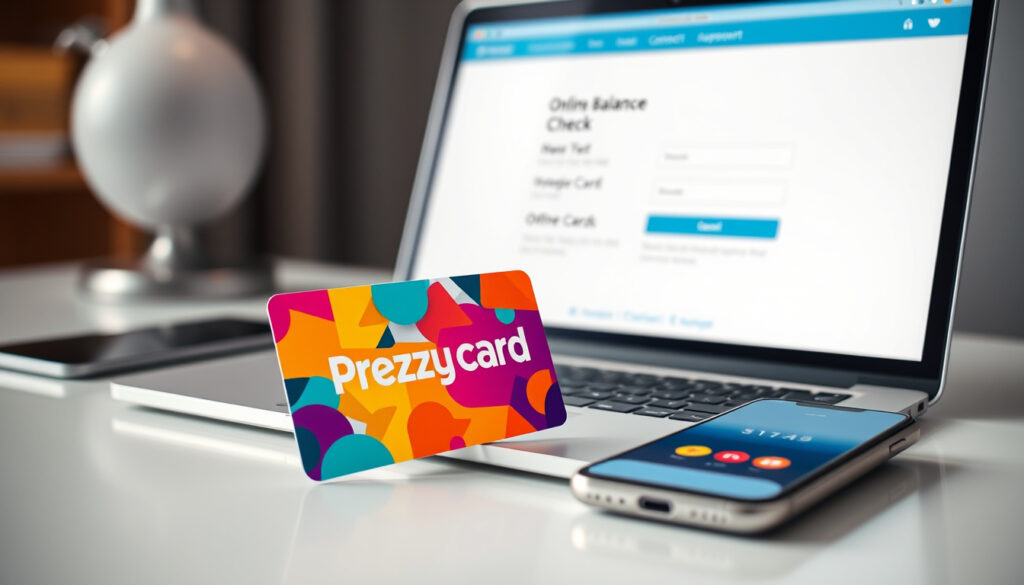
Prezzy Card Balance Check: Online Login & Phone Guide
If you’ve ever received a Prezzy Card as a gift, you know the excitement of holding a prepaid Visa or Mastercard—until you wonder exactly how much is on it. Unlike a bank card linked to your account, checking a Prezzy Card balance takes a specific step: logging into the official portal or making a phone call. This guide walks you through both methods, plus how to activate, register, and troubleshoot common balance issues, straight from the official PrezzyCard.co.nz source.
Official Website: www.prezzycard.co.nz · Balance Check Phone: +64 9 888 6792 · Online Portal: https://www.prezzycard.co.nz/account/cards/ · How It Works: https://www.prezzycard.co.nz/how-it-works · FAQ: https://www.prezzycard.co.nz/faq
Quick snapshot
- Online balance check is free (Prezzy Card How It Works)
- Phone balance enquiries cost $0.50 base fee, plus $1.50 if speaking to a representative (Prezzy Card How It Works)
- Card activation unlocks balance access (Prezzy Card Activation Portal)
- Whether Prezzee and Prezzy serve different regional markets
- Exact process for Alternative ID when purchaser is unreachable
- Funds from in-store purchases take up to 24 hours to load (Prezzy Card FAQ)
- Cards expire after minimum 2 years if unused (Prezzy Card FAQ)
- Activate your card to unlock spending access
- Register to manage balance, lock, or replace lost cards
- Register for full online purchase capability
| Primary Balance Check URL | https://www.prezzycard.co.nz/account/cards/ |
|---|---|
| Support Phone | +64 9 888 6792 |
| How It Works Guide | https://www.prezzycard.co.nz/how-it-works |
| FAQ Resource | https://www.prezzycard.co.nz/faq |
Prezzy Card Balance Check Online Login
The official portal at PrezzyCard.co.nz gives card holders direct access to their balance and transaction history at any time, without charge.
Steps to Access the Balance Portal
- Visit Prezzy Card Account Cards in your browser
- Enter your card ID (found on the card carrier or in your gift email)
- Enter your CVV (three-digit code on the back of the card)
- Click to view your current balance and recent purchase history
Required Details: Card ID and CVV
Both the card ID and CVV are mandatory for the portal to retrieve your balance. The card ID is printed on the perforated cardboard carrier for physical cards, or included in the gift email for virtual cards. The CVV is the three-digit security code on the back of any physical Prezzy Card.
Checking your Prezzy Card balance online costs nothing—unlike phone enquiries, which carry a $0.50 base fee plus $1.50 for representative assistance. If you’re watching your spending closely, the portal is the better option.
Prezzy Card Balance Not Available
There are several reasons your Prezzy Card balance might not display correctly, and most have straightforward fixes.
Common Reasons for Unavailable Balance
- The card has not yet been activated with the purchaser’s unlock code
- Funds from an in-store purchase have not yet loaded (allow up to 24 hours)
- The card is registered under a different account than the one you’re logged into
- The digital wallet (Prezzee Wallet) has not synced with the latest balance
Steps to Resolve Balance Display Issues
- Log into Prezzee Wallet or refresh the gift card email link to pull updated balance data
- Confirm the card has been activated at the official activation portal
- If the balance still shows as unavailable, call +64 9 888 6792 for assistance
If you try to use a Prezzy Card before funds have loaded (up to 24 hours after in-store purchase), the transaction will fail. Calling ahead to verify balance before a big purchase saves the embarrassment of a declined card.
Prezzy Card Activation
Prezzy Cards arrive locked for security. Unlocking the card is the first step before you can check the balance or spend any funds.
Activation Process Overview
Physical Prezzy Cards sent by mail come sealed in a cardboard carrier and require a four-digit unlock code chosen by the purchaser. Virtual cards are activated via a one-time password (OTP) sent to the recipient’s email. Without activation, the card will not authorize any transactions.
Online Activation Steps
- Go to the Prezzy Card Activation Portal
- Enter the card ID and the four-digit unlock code from the purchaser
- Set up your account password
- Submit—your card is now active and the balance is accessible
Online activation is free. Phone activation at +64 9 888 6792 costs $0.50.
Register Prezzy Card
Registration unlocks the ability to lock your card if lost, request a replacement, and—most importantly—use the card for online purchases.
Registration Requirements
Visa Prezzy Cards register online at the Prezzy Card Registration page. Mastercard versions require email registration sent to support@prezzycard.co.nz with your alternate ID, first and last name, and contact number. Both types need the card to be active first.
Benefits of Registering
- Full transaction history viewing in your account portal
- Ability to lock the card immediately if lost or stolen
- Replacement card requests processed for registered cards
- Online purchase capability enabled (unregistered cards cannot be used online)
How to Use Prezzy Card
Once your card is activated and registered, using it is straightforward—but there are specific mechanics for both in-store and online transactions.
General Usage Instructions
Prezzy Cards work at merchants accepting Visa electronically throughout New Zealand and overseas. For in-store purchases, press the “credit” button on the payment terminal and sign the receipt—no PIN is required. For online purchases, enter the card number, expiry date, and CVV2 from the back of the card.
Checking Balance as Part of Use
You can check your balance anytime for free via the online portal or by calling +64 9 888 6792 for a $0.50 fee (plus $1.50 for representative assistance). If your purchase exceeds the balance, split payment is supported: use the Prezzy Card first, then cover the remainder with another payment method.
Alternative ID Usage
If the original purchaser cannot be reached for the unlock code, contact Corporate Customer Service at support@prezzycard.co.nz with your alternate ID and the purchaser’s name to verify ownership. This Alternative ID is the card’s unique identifier used for customer support and account recovery.
Prezzy Cards cannot be used for taxis, automated fuel dispensers, gambling, or at merchants requiring identity verification against card details. They also fail at merchants using 3DS Secure System and cannot be used at ATMs or for cash-out.
Upsides
- Balance check online is completely free
- Works at any Visa-accepting merchant in NZ and overseas
- Can be added to digital wallets for Paywave contactless payments
- Split payment supported when purchase exceeds balance
- Registration enables card replacement if lost
Downsides
- Phone balance check costs $0.50 minimum, plus $1.50 for representative
- Cannot be used online without registration
- Cannot be reloaded—single use only
- Fails at merchants using 3DS Secure, subscriptions, or recurring payments
- Unused funds forfeited after 2-year expiry
- Card authorisations from hotels, motels, car rentals may overdraw balance
Epay New Zealand are the Prezzy card product owners, distributors, issuers and will be your point of contact for anything Prezzy related including account management, invoicing and fulfilment.
— Prezzy Card product information (Prezzy Card FAQ)
You must unlock your card before you can use it. To do this, you will need the four digit number selected when the card was purchased.
— Prezzy Card activation guide (Prezzy Card How It Works)
For New Zealand consumers holding a Prezzy Card, the path forward is clear: activate first, register second, and check your balance through the free portal before any major purchase. If the purchaser is unreachable, email support with your Alternative ID rather than assuming the card is unusable. And for those still deciding whether to give a Prezzy Card as a gift, the two-year validity window gives recipients plenty of time to spend the balance—provided they register before the card expires.
Related reading: ANZ Online Banking App Guide
prezzycard.co.nz, prezzeeglobal.zendesk.com, prezzycard.co.nz
After confirming your Prezzy Card balance online or via phone, explore where to buy Prezzy Cards to grab a new one for gifting or personal shopping.
Frequently asked questions
Can I check my Prezzy card balance without logging in?
No. The portal requires your card ID and CVV to display the balance. The phone service also requires these details and incurs a fee.
Is there a mobile app for Prezzy card balance?
There is no dedicated Prezzy Card app. Balance checking happens through the web portal or by phone. However, Prezzy Cards can be added to digital wallets like Apple Pay or Google Pay for in-store use via Paywave.
How long does Prezzy card balance take to update?
Funds loaded on in-store purchased Prezzy Cards take up to 24 hours to reflect on the card before use. If you’ve just bought the card, wait a full day before checking or attempting to spend.
What if I lost my Prezzy card details?
Contact +64 9 888 6792 immediately to secure any remaining funds. Only registered cards can be replaced, so registration is essential if you anticipate needing a replacement.
Does Prezzy card expire?
Yes. Prezzy Cards are issued with a minimum validity period of two years. Unused value is automatically forfeited after the expiry date—spend it or lose it.
Can I transfer Prezzy card balance?
No. Prezzy Cards are single-use prepaid cards—they cannot be reloaded, and the balance cannot be transferred to another card or account.
Is Prezzy card only for New Zealand?
No. Prezzy Cards work overseas at merchants accepting Visa electronically throughout New Zealand and internationally. For overseas transactions, ensure the card has sufficient funds accounting for conversion from NZD to the local currency.
More related posts
 FireFly Metals Share Price: Analysis, Targets & Outlook
 Whakataka te Hau Karakia: Meaning, History & Usage
 PLS ASX Share Price – Live Data, Charts and Analysis
 Mediterranean Diet Meal Plan: 7-Day Foods & Snacks
 Stone and Water World: Water Features and Stones Auckland Guide
 Ferry from Wellington to Picton: Cost, Times & Comparison
 What Is a Home Appraisal? Process, Cost & Low Appraisal Tips
 India vs South Africa Match Scorecard: T20 World Cup 2026 Super 8